
Admin panel
Complete list
Every screen in the admin panel, in the same order as the menu.
See sales, orders, and site activity at a glance.
Content
Add custom copy and media for city pages.
Override titles, descriptions, and images for events.
Customize performer pages with your own content.
Add custom copy and media for state pages.
Customize venue pages with your own content.
Integrations
Generate page copy and images with your own OpenAI API key.
- ChatGPT Content Generation — Draft page titles, body copy, and meta fields with AI.
- ChatGPT Image Generation — Generate content images for city, event, performer, state, and venue pages.
Sync contacts and buyers to Constant Contact lists and tags.
Customize transactional email templates (platform mail); add Mailgun or Amazon SES to send from your own domain.
- Amazon SES SMTP — Send storefront and account email through Amazon SES SMTP.
- Mailgun — Send storefront and account email through Mailgun.
- Email Queue — View and manage queued and sent transactional email for this account.
Sync contacts and buyers to Mailchimp audiences and tags.
Chat with your ticket website visitors and collect after-hours messages.
- Inbox — See who’s on your site, start a chat, and reply to open conversations.
- History — Review live and offline conversations in one place.
- Settings — Configure the widget, hours, after-hours messages, and canned replies.
Inventory
Hide specific events from your storefront.
Hide selected performers from browse and search.
Hide selected venues from your catalog.
Filter which inventory shoppers can buy.
Sales
Recover abandoned carts and unfinished checkouts by email.
- Cart Abandonment Email — Email linked members who left items in their cart.
- Checkout Abandonment Email — Email shoppers who started checkout but did not finish.
Show an exit-intent offer on checkout to recover orders that almost left.
Issue store credit cards shoppers can apply at checkout.
Let buyers create accounts and return to purchase.
Email staff when orders need attention.
View and manage storefront ticket orders.
See active carts and who owns them before checkout.
Create discount codes for checkout.
Add service fees to tickets at checkout.
Store
Add a 301 redirect or a full addon domain from your admin panel in a few clicks — no support ticket required.
TicLite is the only ticket website provider that lets you do this yourself.
Keep every contact in one place — from orders, Contact Us, gift cards, promo codes, and users — and download them all as CSV.
See your plan, invoices, and account anytime you want, and manage billing yourself.
No other ticket website provider gives you that level of control.
Control checkout process and flow for your site.
Collect and manage storefront contact form messages.
- Submissions — Read and manage messages sent from your storefront contact form.
- Settings — Turn the contact page on or off and choose the staff notification email.
- Form Builder — Rearrange fields, set required, and add custom questions.
Add custom JavaScript to cart, checkout, members, or the whole site.
Choose the ticket page layout buyers see on event pages.
Curate homepage rails, heroes, and featured content.
When Victory Live or Seatics has no ticket listings, show a customizable lead-capture page instead of an empty inventory message.
- Submissions — Review leads captured when an event has no ticket listings.
- Settings — Turn lead capture on or off and customize storefront copy and alerts.
- Form Builder — Rearrange fields, set required, and add custom questions.
- Listing Availability Alerts Email — Email shoppers when listings become available, or a sorry note if the event passes with no tickets found.
Create custom storefront pages with your own content and URLs.
Publish a storefront privacy policy page, with optional AI assistance.
Send shoppers from old URLs to live TicLite pages with custom redirects.
- ticketWP — Map ticketWP URLs to TicLite URLs.
- TFLGroup — Map TFLGroup URL shapes to TicLite URLs.
- TicketNetwork Signature — Map TicketNetwork Signature URLs to TicLite URLs.
Publish a custom robots.txt for search crawlers.
See what shoppers search for on your storefront.
Control seating chart layout on ticket pages.
- TicketNetwork Seatics Interactive Maps — Show TicketNetwork Seatics interactive seat maps.
Set your site name, timezone, and account preferences.
Publish a storefront terms of service page, with optional AI assistance.
Switch your storefront look without rebuilding the site.
Generate and publish an XML sitemap for SEO.
Users & Access
Invite team members and assign permissions for each admin feature.
Admin panel
Everything you need to run your ticket business — in one place.
Inventory, orders, content, checkout, and team access live in a single admin panel. You get a full control center from day one — what’s on the menu depends on your plan, not a stack of extra tools to buy later.
- The power you need to control your ticket business
- Connect email, chat, and marketing tools when you’re ready
- Invite your team and control who can change what with a powerful permissions system

Ticket website
Your branded ticket site — every theme included in the catalog.
Pick a storefront look buyers will trust. Switch themes below to preview each pack.
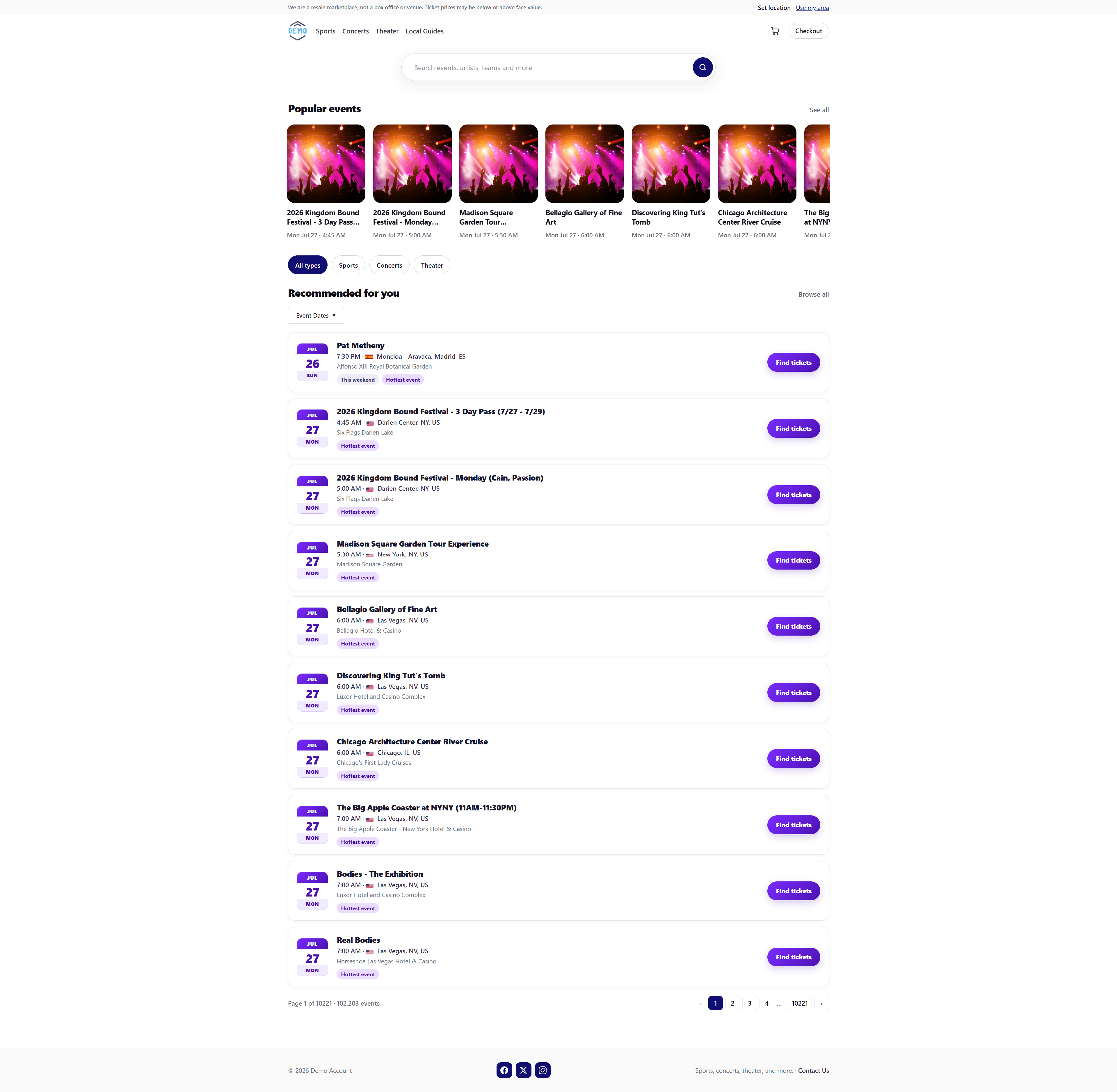
Event listings
Ticket page layouts buyers recognize.
Ticket page layouts buyers recognize. Switch packs below to preview each style.

Content
Content
Own the story on performer, venue, city, and event pages.
-
City Content
Add custom copy and media for city pages.
-
Event Content
Override titles, descriptions, and images for events.
-
Performer Content
Customize performer pages with your own content.
-
State Content
Add custom copy and media for state pages.
-
Venue Content
Customize venue pages with your own content.

Integrations
Integrations
Connect email delivery, ChatGPT, Mailchimp, Constant Contact, and Web Chat for your account.
-
ChatGPT
Generate page copy and images with your own OpenAI API key.
- ChatGPT Content Generation Draft page titles, body copy, and meta fields with AI.
- ChatGPT Image Generation Generate content images for city, event, performer, state, and venue pages.
-
Constant Contact
Sync contacts and buyers to Constant Contact lists and tags.
-
Email Configuration
Customize transactional email templates (platform mail); add Mailgun or Amazon SES to send from your own domain.
- Amazon SES SMTP Send storefront and account email through Amazon SES SMTP.
- Mailgun Send storefront and account email through Mailgun.
- Email Queue View and manage queued and sent transactional email for this account.
-
Mailchimp
Sync contacts and buyers to Mailchimp audiences and tags.
-
Web Chat
Chat with your ticket website visitors and collect after-hours messages.

Inventory
Inventory
Shape what buyers can see and purchase from your catalog.
-
Block Events
Hide specific events from your storefront.
-
Block Performers
Hide selected performers from browse and search.
-
Block Venues
Hide selected venues from your catalog.
-
Inventory Rules
Filter which inventory shoppers can buy.

Sales
Sales
Close sales with orders, fees, promos, and member accounts.
-
Cart Abandonment
Recover abandoned carts and unfinished checkouts by email.
- Cart Abandonment Email Email linked members who left items in their cart.
- Checkout Abandonment Email Email shoppers who started checkout but did not finish.
-
Checkout Rescue
Show an exit-intent offer on checkout to recover orders that almost left.
-
Gift Cards
Issue store credit cards shoppers can apply at checkout.
-
Members
Let buyers create accounts and return to purchase.
-
Order Notifications
Email staff when orders need attention.
-
Orders
View and manage storefront ticket orders.
-
Pending Carts
See active carts and who owns them before checkout.
-
Promo Codes
Create discount codes for checkout.
-
Service Fees
Add service fees to tickets at checkout.

Store
Store
Brand the site shoppers land on — homepage to checkout.
-
Addon Domains
Add a 301 redirect or a full addon domain from your admin panel in a few clicks — no support ticket required.
TicLite is the only ticket website provider that lets you do this yourself.
-
Address Book
Keep every contact in one place — from orders, Contact Us, gift cards, promo codes, and users — and download them all as CSV.
-
Billing
See your plan, invoices, and account anytime you want, and manage billing yourself.
No other ticket website provider gives you that level of control.
-
Checkout Options
Control checkout process and flow for your site.
-
Contact Us
Collect and manage storefront contact form messages.
-
Custom Error Pages
Custom branded 403, 404, and 500 error pages using your logo, colors, and support email.
-
Custom JavaScript
Add custom JavaScript to cart, checkout, members, or the whole site.
-
GeoIP
Personalize the storefront using the visitor's location.
-
Homepage Control
Curate homepage rails, heroes, and featured content.
-
No Listings Lead Capture
When Victory Live or Seatics has no ticket listings, show a customizable lead-capture page instead of an empty inventory message.
- Listing Availability Alerts Email Email shoppers when listings become available, or a sorry note if the event passes with no tickets found.
-
Page Builder
Create custom storefront pages with your own content and URLs.
-
Privacy Policy Page (AI Generator/Help)
Publish a storefront privacy policy page, with optional AI assistance.
-
Redirect Management
Send shoppers from old URLs to live TicLite pages with custom redirects.
- ticketWP Map ticketWP URLs to TicLite URLs.
- TFLGroup Map TFLGroup URL shapes to TicLite URLs.
- TicketNetwork Signature Map TicketNetwork Signature URLs to TicLite URLs.
-
Robots.txt Generator (AI Generator/Help)
Publish a custom robots.txt for search crawlers.
-
Search Analytics
See what shoppers search for on your storefront.
-
Seating Charts
Control seating chart layout on ticket pages.
- TicketNetwork Seatics Interactive Maps Show TicketNetwork Seatics interactive seat maps.
-
Terms of Service Page (AI Generator/Help)
Publish a storefront terms of service page, with optional AI assistance.
-
XML Sitemap
Generate and publish an XML sitemap for SEO.

Users & Access
A powerful permissions system for your team.
The account owner has full access. Invite staff and turn on only the screens they need — including add, edit, and delete on the tools that support it.
-
Users
Invite team members and assign permissions for each admin feature.

Permissions you can assign
Each teammate only sees the admin screens you grant. Parent access can include sub-permissions such as add, edit, delete, and notification alerts.
Overview
- Dashboard
Content
- City Content
- Event Content
- Performer Content
- State Content
- Venue Content
Help
- FAQ Access
- Get Support Access
Integrations
- ChatGPT
- Constant Contact
- Email Configuration
- Mailchimp
-
Web Chat
- Settings
- Inbox
- History
Inventory
- Block Events
- Block Performers
- Block Venues
- Inventory Rules
Notifications
- Contact Us Notifications
- New Order Notifications
- No Listings Lead Notifications
- Support Notifications
Sales
- Cart Abandonment
- Checkout Rescue
- Gift Cards
- Members
- Order Notifications
- Orders
- Pending Carts
- Promo Codes
- Service Fees
Store
-
Addon Domains
- Add Addon Domain
- Edit Addon Domain
- Delete Addon Domain
- Address Book
- Billing
- Checkout Options
-
Contact Us
- Submissions
- Settings
- Form Builder
- Custom Javascript
-
Event Listings
- Activate Event Listing
- Homepage
-
No Listings Leads
- Submissions
- Settings
- Form Builder
-
Page Builder
- Create Pages
- Edit Pages
- Publish Pages
- Delete Pages
- Custom JavaScript
- Privacy Policy
-
Redirects
- Add Redirect
- Edit Redirect
- Delete Redirect
- Robots.txt
- Search Analytics
- Seating Charts
- Settings
- Terms
- Themes
- XML Sitemap
Users & Access
-
Users
- Add User
- Edit User
- Remove User