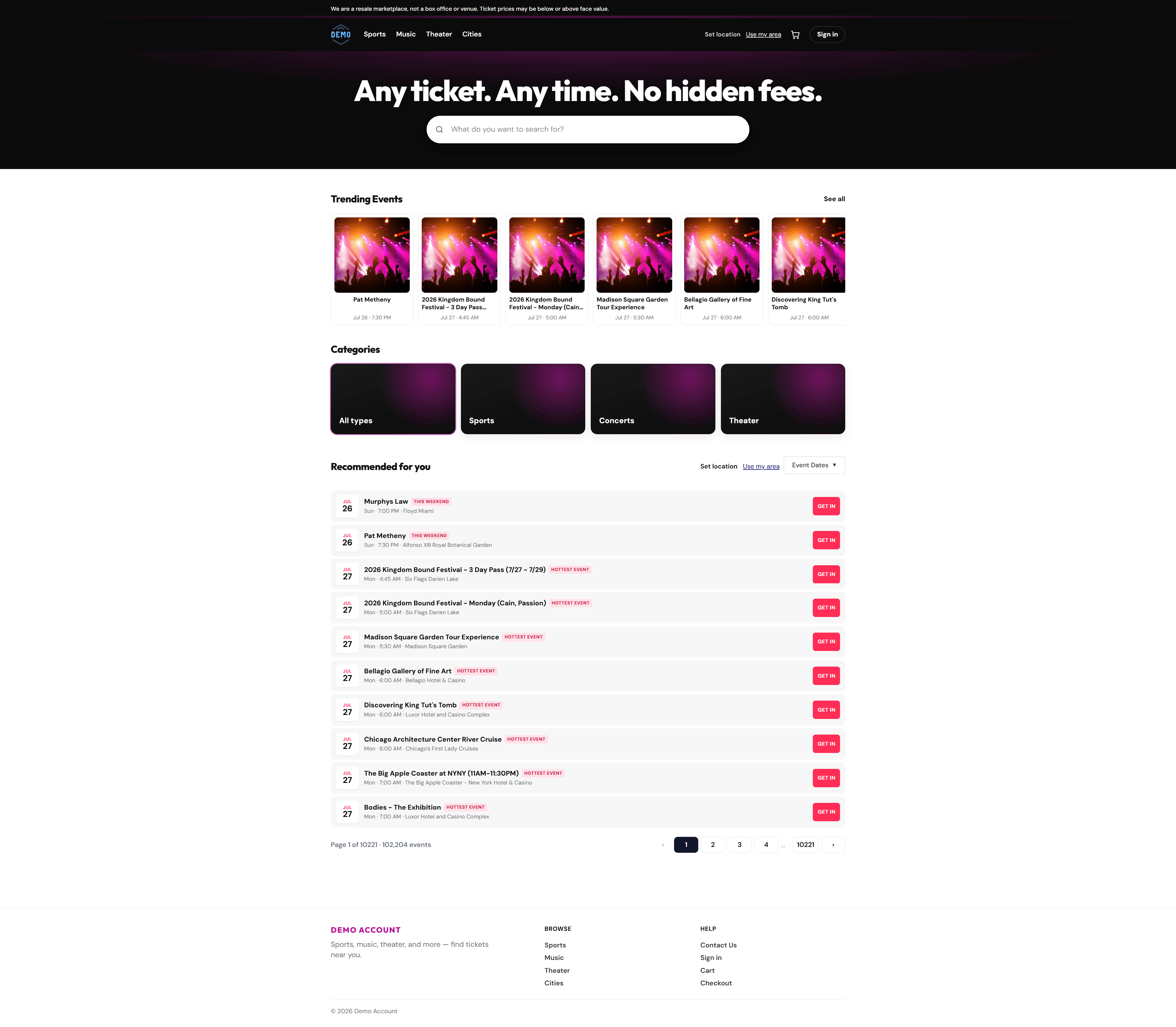
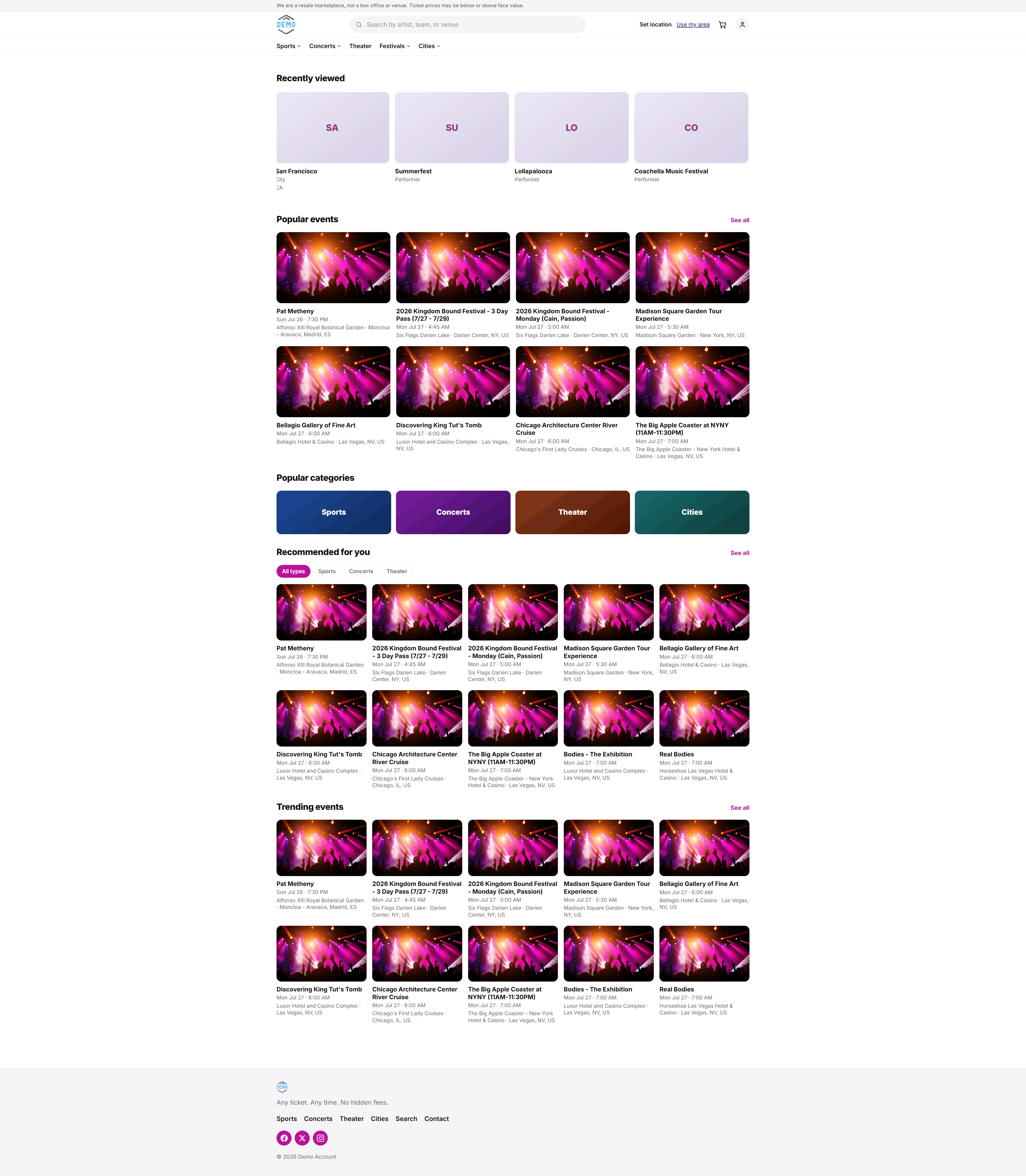
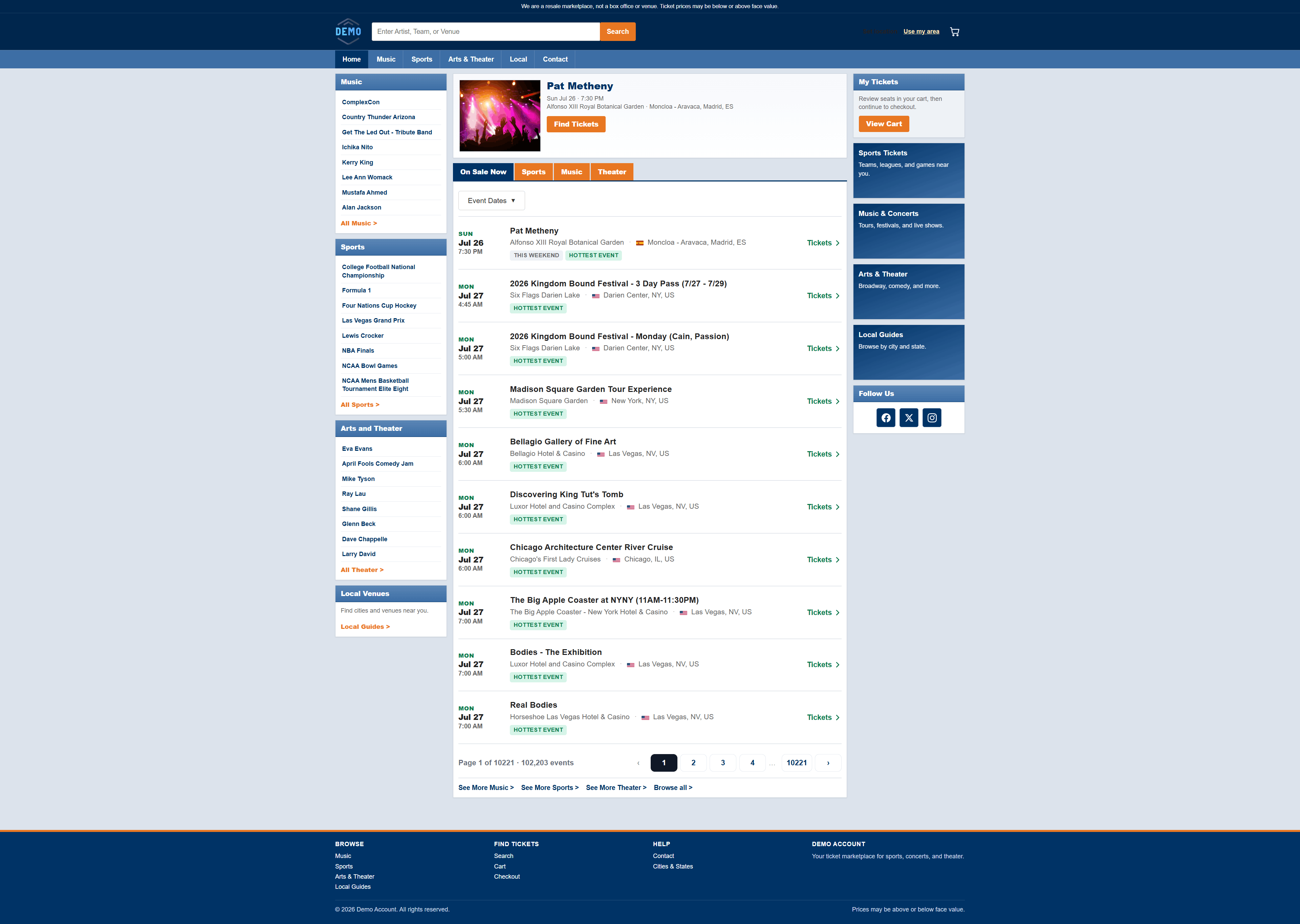
Zero upfront development costs. Professional results in minutes.
Choose from 7 website themes and 5 event listing styles to match your brand.
Stop waiting months for a website. Go live today with TicLite.
The first DIY ticket website platform built exclusively for ticket brokers and affiliates.
Built exclusively for ticket brokers and affiliates—no coding required.
Enterprise-level ticket website features without the enterprise-level price tag.
Launch faster, sell smarter, and grow your ticket business with TicLite.
Launch your own professional ticket website in minutes with our powerful setup wizard.
Professional results. Powerful features. No development headaches.
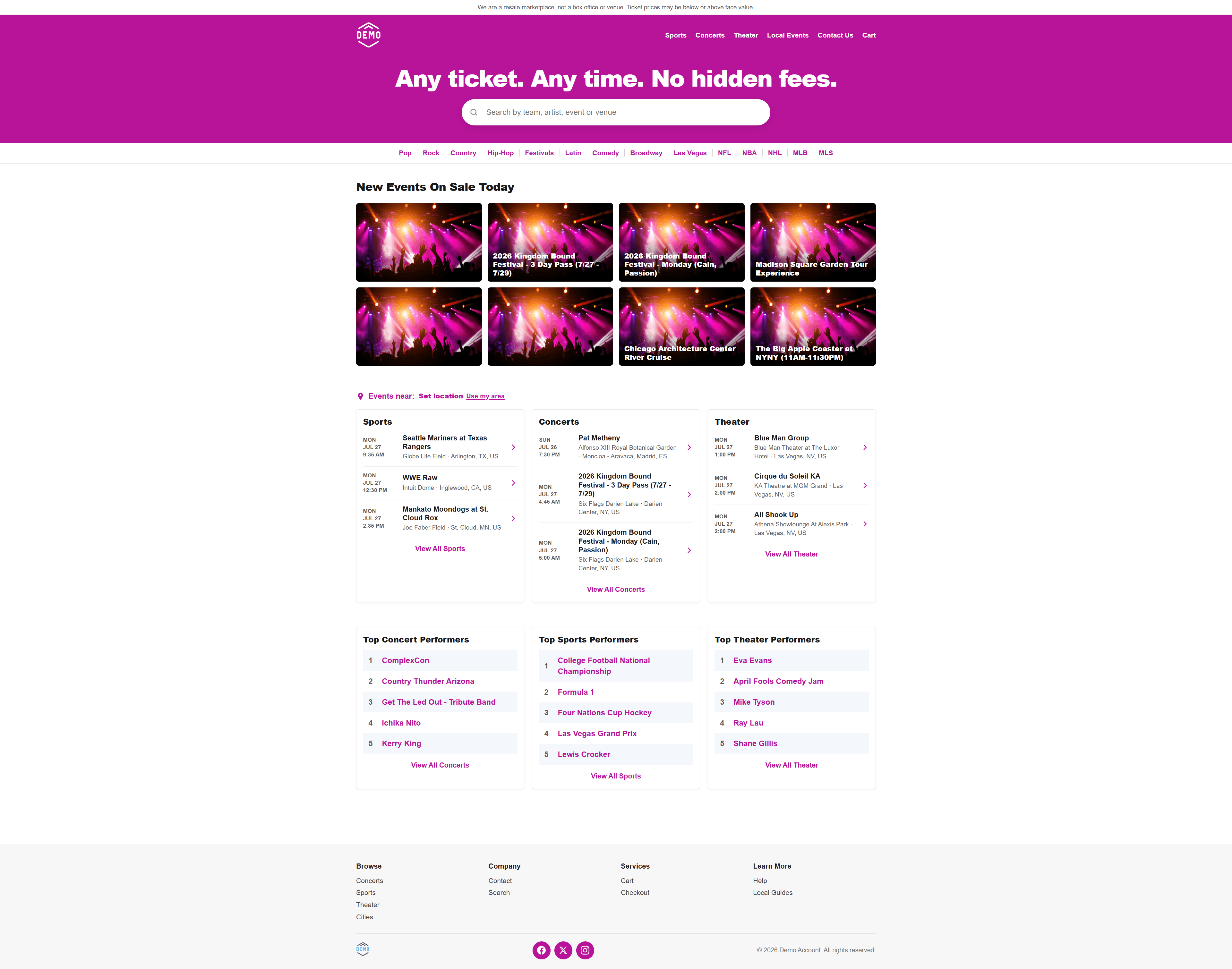
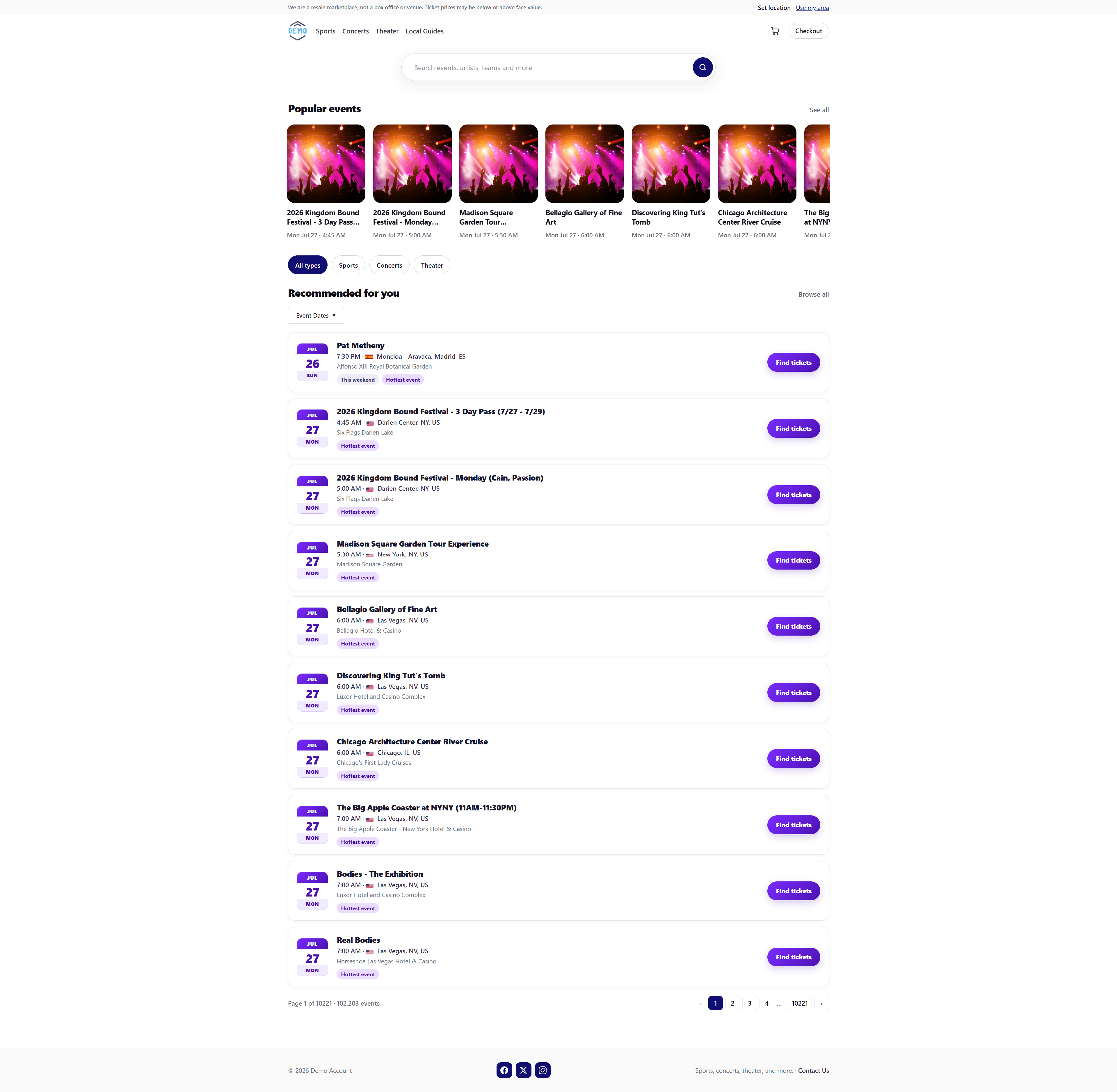
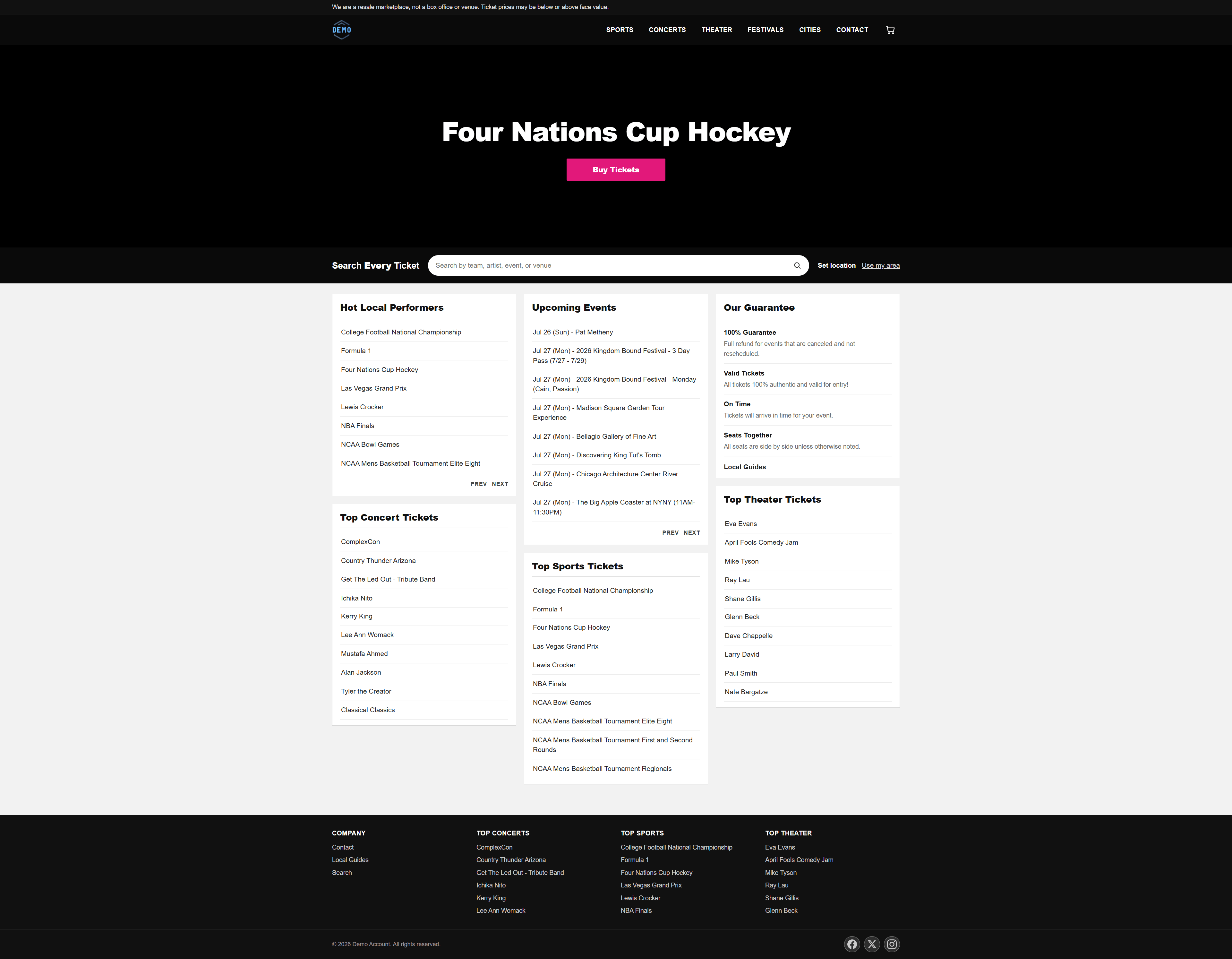
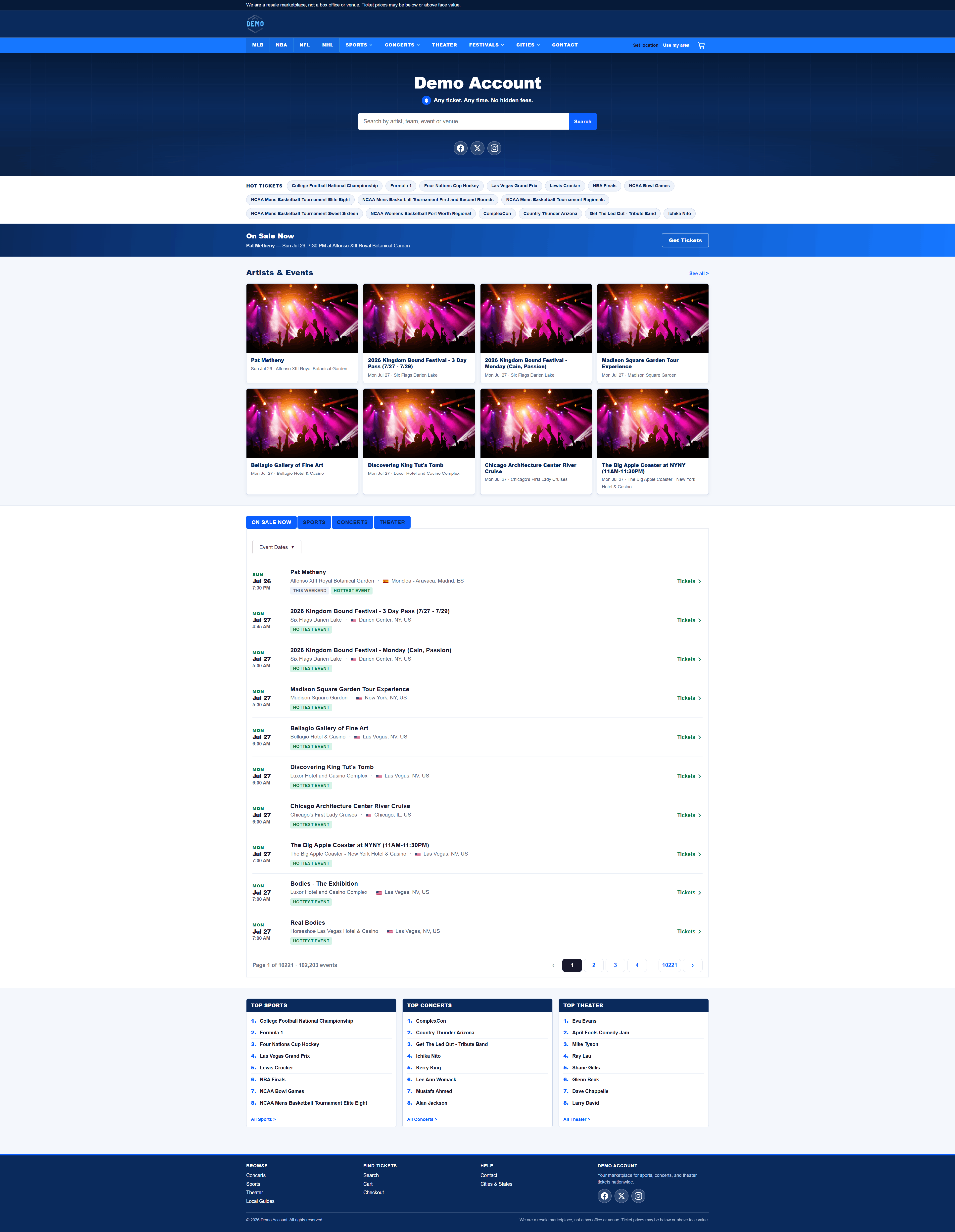
Ticket website themes for brokers and affiliates
Choose a storefront look that fits your brand — every active theme is listed here.
Unlike other ticket website providers, TicLite does not charge large upfront fees for themes. Instead, themes are purchased using credits. You’ll receive credits with the plan you select, and you can purchase additional credits or credit packs anytime from your ticket website’s admin panel.
Once you purchase a theme with credits, you own it for as long as you maintain an active TicLite subscription.
TicLite is the only ticket website provider that lets you purchase themes and switch between the themes you own anytime—without additional upfront costs or assistance from our team. You can even change your theme every day if you want.
All themes are fully functional ticket websites with hundreds of thousands of dynamically generated pages for every performer, venue, state, city, category, subcategory, and event available through the ticket exchange. What sets each theme apart is its individual features, customization options, and overall design.
The same feature name can appear on more than one theme. Custom Homepage or
Custom Login Page is a shared label, not a shared design — each theme builds that
feature to fit its own look and layout. No two themes implement a custom feature the same way.
Click a theme to open its demo.
Theme features A–ZOpen the list, then click features to filter themes
Chips on each theme are listed below in A–Z order. Click one or more features to show only themes that
include all of them, and to highlight those chips on the matching themes. Hover a chip for the same
description. Member features can be turned on or off in
Settings.
Shoppers can open a city page from the city name in the location bar.
A theme-specific breadcrumb trail on storefront pages.
Dedicated category and subcategory hubs styled for this theme.
A theme-specific page that lists events by city.
A custom Contact Us layout for this theme.
Shoppers can filter search results by a custom date range.
A theme-specific homepage with curated sections and featured content.
A theme-specific local events page, including map views when the theme supports them.
A custom member login screen for this theme.
Theme-specific member pages for login, registration, and account.
A custom mobile menu for this theme — hamburger, drawer, and menu items are unique to that theme.
Theme-specific pages for events in a state or province.
A theme-specific listing of all states and provinces.
Theme-specific Terms and Privacy Policy pages.
Homepage search includes a date-range filter.
Show or hide the person/account control in the storefront header. Not every theme includes this.
Let shoppers create an account themselves, or turn that off. Checkout still creates a member when someone places an order.
Show or hide open/pending orders in the member account area. Completed orders always stay available.
Browse professional sports teams grouped by state.
A fold-up tray of pages this visitor recently opened. Cart and checkout never show it.
Listing filters open in a slide-out panel so shoppers can narrow events without leaving the page.
Clickable Cities in Change LocationCustom BreadcrumbsCustom Category and Subcategory PagesCustom Contact Us PageCustom date range filters on the SERPs pageCustom HomepageCustom Local Events PageCustom Login PageCustom Membership PagesCustom Mobile NavigationCustom State PagesCustom Terms and Privacy Policy PagesHeader sign-in on/offMember signup on/offPending orders on/offRecently viewed tray
Clickable Cities in Change LocationCustom Contact Us PageCustom HomepageCustom Local Events PageCustom Mobile NavigationCustom State PagesCustom Terms and Privacy Policy PagesHeader sign-in on/offMember signup on/offPending orders on/off
Clickable Cities in Change LocationCustom Contact Us PageCustom date range filters on the SERPs pageCustom Local Events PageCustom Login PageCustom Membership PagesCustom Mobile NavigationCustom Terms and Privacy Policy PagesHeader sign-in on/offMember signup on/offPending orders on/offSlide-Out Listing filters
Clickable Cities in Change LocationCustom Category and Subcategory PagesCustom date range filters on the SERPs pageCustom Login PageCustom Membership PagesCustom Mobile NavigationCustom State PagesCustom Terms and Privacy Policy PagesDate Range Search on the HomepageHeader sign-in on/offMember signup on/offPending orders on/offRecently viewed tray
Clickable Cities in Change LocationCustom Contact Us PageCustom date range filters on the SERPs pageCustom Local Events PageCustom Mobile NavigationCustom State PagesMember signup on/offPending orders on/off
Clickable Cities in Change LocationCustom Category and Subcategory PagesCustom Cities PageCustom Contact Us PageCustom date range filters on the SERPs pageCustom Membership PagesCustom Mobile NavigationCustom States PagesCustom Terms and Privacy Policy PagesHeader sign-in on/offMember signup on/offPending orders on/offPro Sports Teams Listed by State Page